The Shortcuts app
Under App Shortcuts, tap Fullday. Every phrase above is an action, plus How Did I Sleep?, Open Routine, Open Food and Open Saved Route. Log Food takes a food and servings; Log Water, a number of glasses.
Siri and Shortcuts, explained
Say "Log Greek yogurt in Fullday" or "How's my recovery in Fullday" and it's done, most of the time without opening the app. Ten phrases work on iPhone from the moment Fullday is installed, the watch has its own, and Spotlight finds your routines, routes and foods. All free.
Free · no setup · iOS 17 or later, Apple Watch with watchOS 11 or later

The ten App Shortcuts on iPhone and iPad. Each also has a shorter or longer way to say it.
| Say | What happens | Opens the app? |
|---|---|---|
| "Log Greek yogurt in Fullday" | One serving to the meal for the time of day: "Logged Greek yogurt, 150 kcal, to breakfast." Also "Log food in Fullday", "Add … to Fullday". | No |
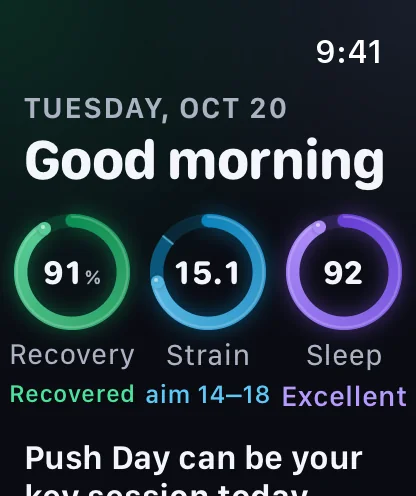
| "How's my recovery in Fullday" | This morning's recovery, the day's call and last night's sleep, spoken and as a card. Also "Am I recovered in Fullday". | No |
| "Log water in Fullday" | Adds a glass and tells you today's total. Also "Add a glass of water in Fullday". | No |
| "Log my weight in Fullday" | Asks for the number, logs it in your unit and saves it to Apple Health. | No |
| "What did I do last time in Fullday" | Your working sets from the last time you did an exercise. Also "Last bench press in Fullday". | No |
| "Going to bed in Fullday" | Starts the sleep timer: "Sleep well. Tell me when you're awake." | No |
| "I'm awake in Fullday" | Stops the timer and logs the night: "Good morning. You slept 7 h 40 min." | No |
| "Start a workout in Fullday" | Starts an empty workout, or a routine by name: "Start Push Day in Fullday". | Yes |
| "Start a run in Fullday" | The run's start screen with GPS warming up; you tap Start. | Yes |
| "Scan a product in Fullday" | Opens the scanner for a packaged food's score, additives and better picks. | Yes |
Siri knows a food by name when it's a favourite, one you've logged lately, or one you made; otherwise it asks which, and Fullday searches on your phone. The strain to aim for in the recovery answer is part of Pro; without Pro the answer ends "See more in Fullday".
The same actions show up across your devices, with nothing to set up.
Under App Shortcuts, tap Fullday. Every phrase above is an action, plus How Did I Sleep?, Open Routine, Open Food and Open Saved Route. Log Food takes a food and servings; Log Water, a number of glasses.
Siri on the watch runs the watch app, so it works with your iPhone at home: log water, "Start a ride in Fullday", "How did I sleep in Fullday", recovery, and the sleep timer. On Ultra, the Action button starts and pauses a run, ride, walk or hike.
On iPhone with iOS 18, Log Water adds a glass without opening the app, and Start Wind-Down opens tonight's countdown, from Control Center, the Lock Screen or the Action button. The watch (watchOS 26) has Log Water, Start a Run and Going to Bed.
Search a routine, a saved route or one of your own foods, recipes or favourites, and tap to open it. Each result is a name and a few words, like "Routine · 6 exercises".
On Android, the same ten are shortcuts: touch and hold Fullday's icon for the first four, or ask Google Assistant by name. Each opens the app on that screen; Log food opens food search rather than logging by voice.
Privacy
These actions run on your device, against the same log as the app.
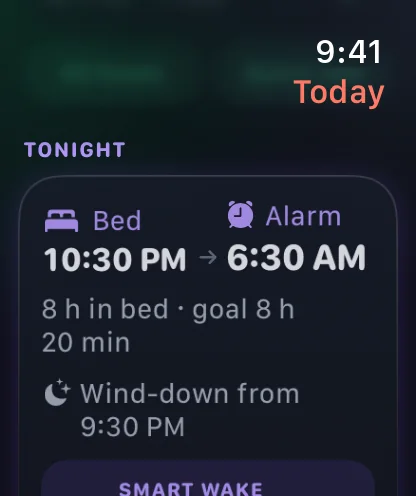
Answers include your numbers: recovery, sleep, water and weight. Ask where you're happy to hear them.
"How's my recovery" only answers with your iPhone unlocked. Apple's Siri also asks you to unlock before a shortcut that opens an app.
Siri finds foods among yours, the built-in list, restaurant menus and brand-name products on your phone. Nothing is looked up online.
Never a weight, heart rate, sleep, cycle or mood value, a nutrient or a date. Kept on this device; Me → Preferences → Show in Spotlight turns it off and clears it.
No. App Shortcuts work as soon as Fullday is installed. Just say one, or find them in the Shortcuts app under App Shortcuts.
Yes. "Log Greek yogurt in Fullday" logs one serving to the meal for the time of day and tells you the calories. Say how many servings in the Shortcuts app's Log Food action.
On iPhone 15 Pro or later, open Settings, then Action Button, swipe to Shortcut, and pick a Fullday one. With iOS 18, Fullday's Log Water and Start Wind-Down controls can go there too.
Yes. The watch has its own phrases for water, outdoor workouts, recovery, sleep and the sleep timer, and anything logged reaches your iPhone later.
No, they're free. Only the strain aim in the recovery answer is Pro, as it is on the Today screen.
Next: Fullday's morning, meal and bedtime reminders. Or see everything for the wrist on the Apple Watch page.
Apple. App Shortcuts, App Intents documentation. developer.apple.com
Apple. Run app shortcuts on iPhone or iPad, Shortcuts User Guide. support.apple.com
Apple. Use Siri to run shortcuts with your voice, Shortcuts User Guide. support.apple.com
Apple. Run shortcuts with the Action button, Shortcuts User Guide. support.apple.com

Coming to the App Store this December. Siri, Shortcuts and Spotlight are free.
Pre-orders open soon.
Email us for a note when they open